
Solo
One-person operations
$19.99/month
Get paid and scheduled
- Estimates with e-signature approval
- Invoices, online payments, and tips
- Jobs, recurring visits, and the job timer
- Two-way texting and On My Way texts
Contractor software for field service businesses
PocketBoss is business software for trade and field-service companies, from the owner-operator to a 25-person crew. Estimates, scheduling, crew time, invoices and payments run in one app on web, iPhone and Android.
Every step below is the real app. One record carries the job from estimate to payment, so nothing gets typed twice.
Build the heat pump estimate in the driveway, send it for e-signature, and turn the yes into a scheduled job.
Contractor estimate software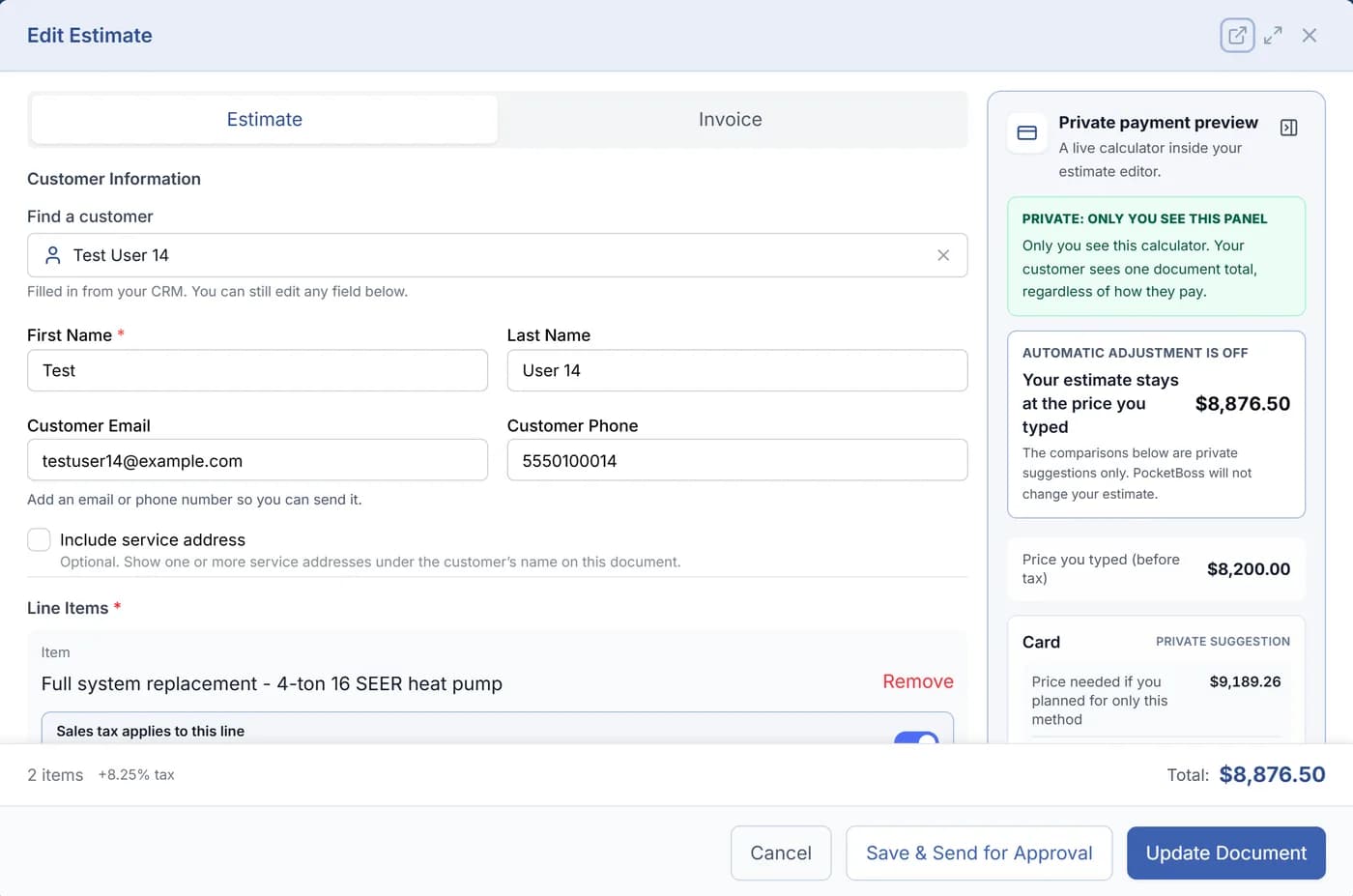
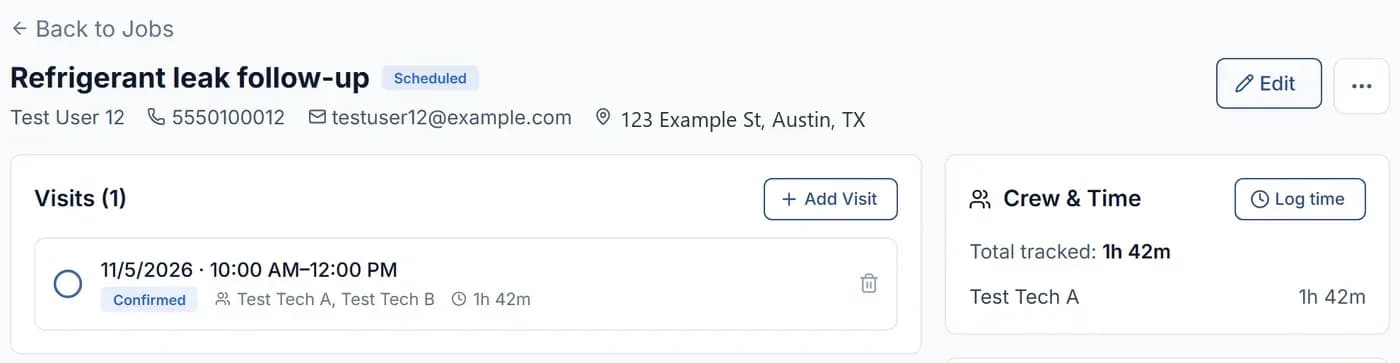
Drop the install on the dispatch board, assign the techs, and everyone sees where to be and when.
Scheduling and dispatch software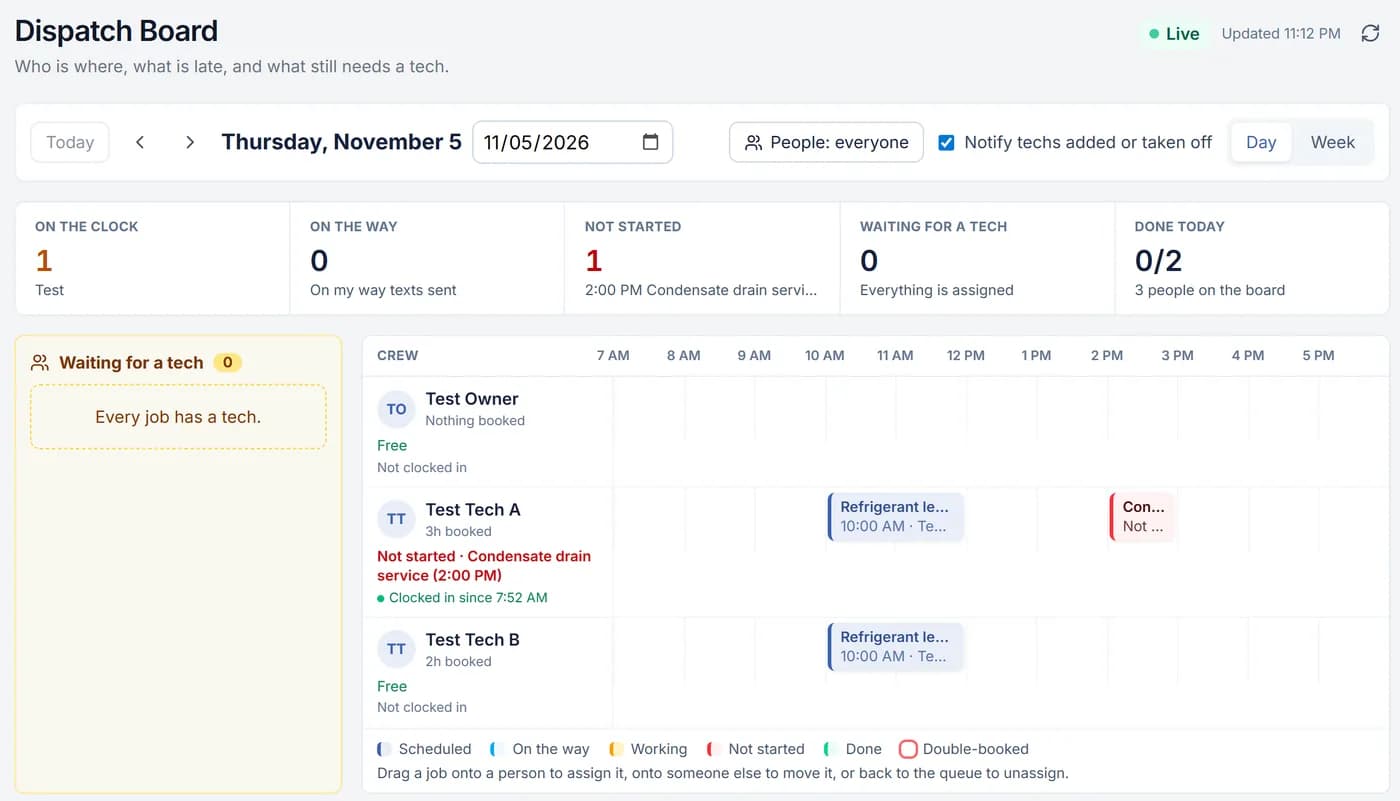
Techs clock in with GPS punches and pick the job they are on, so every hour lands on the timesheet and the job.
Contractor time tracking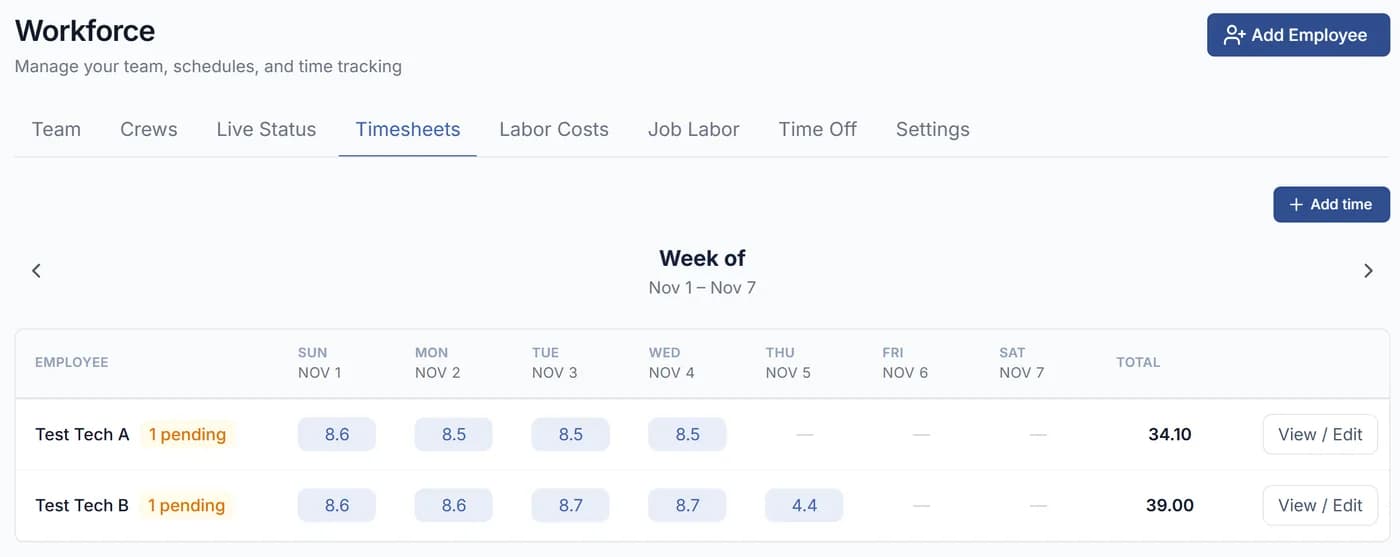
Send the invoice from the truck and let the homeowner pay online by card, with a tip if they want.
Contractor invoicing software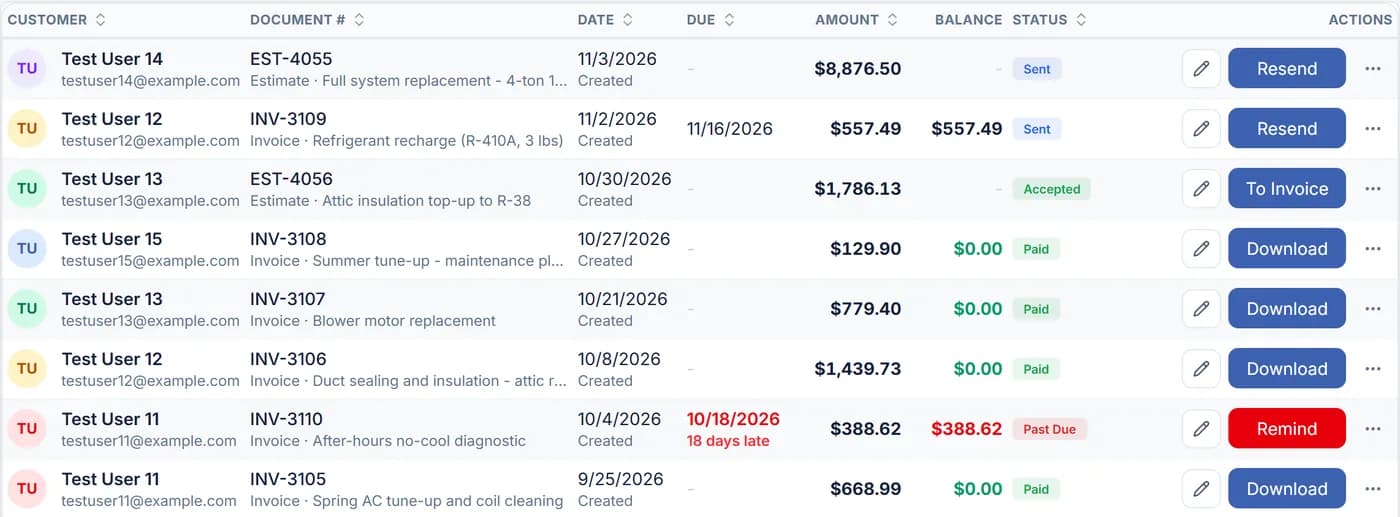
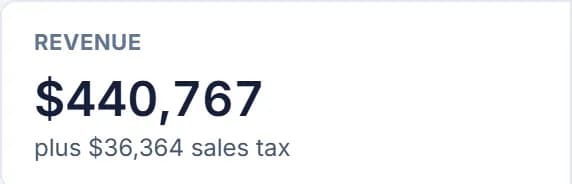
Revenue, expenses and profit by month, plus job costing that shows what each job cost against what you billed.
Job management and job costing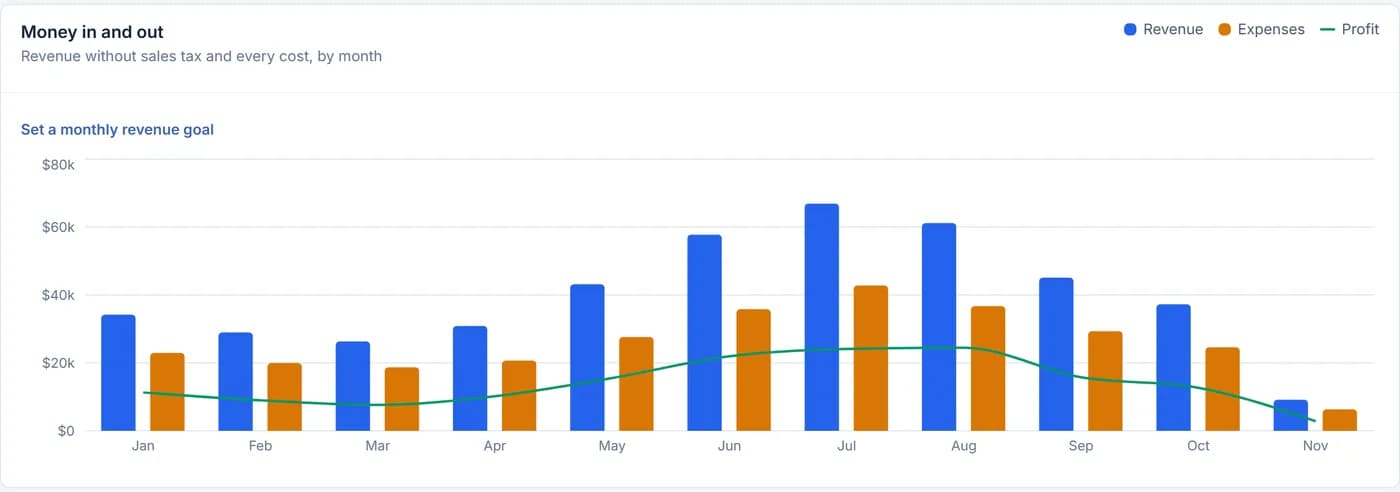
Four plans for 1 to 25 users. Each plan adds to the one before it. 14-day free trial: card required at sign-up, not charged during the trial, cancel anytime.
One-person operations
$19.99/month
Get paid and scheduled
Crews of up to 5
$29.99/month
Run your schedule and your crew
Teams of up to 10
$49.99/month
Run the business
Teams of up to 25
$99.99/month
PocketBoss helps run it
Optional usage-based services, including payment processing, messaging and AI Receptionist, have separately disclosed charges. Compare every plan in detail
Workforce, on Essentials and up
The dispatch board, the time clock and the timesheets share one record, so labor cost on each job stops being a guess.
Techs punch in and out on their phone with GPS and pick the job they are working.
The crew lead clocks everyone in or out at once, one time entry per person.
Set daily, weekly or both, with your own thresholds and pay multipliers.
Review hours and labor cost by person and by job, then export payroll as a CSV.
Industries
The same job path, set up for how your trade quotes, schedules and bills. Pick yours to see how it works.
Help in the office
Forward missed and after-hours calls to an AI receptionist that identifies itself, gathers the details, recognizes existing customers, and creates follow-up your team can act on.
Boss includes the number + 100 minutes/month. Other plans: $5.00/month for the number; usage beyond included minutes uses prepaid AI credit.
Meet the AI ReceptionistTell it what you need in plain words: an estimate with lines and a note, an appointment with a tech on it, a change order, a text to a customer. It shows you a card first. Nothing is created or sent until you click Confirm.
Included on Essentials and up. Solo pays per request from prepaid AI credit, the same balance the receptionist uses.
Meet the AI AssistantSubcontractor bidding
Invite outside subs by email or text with a private, no-login link. Each sub sees only the scope you share, submits an itemized price from their phone, and messages your team inside the project.

The practical details
Still deciding? Read the full FAQ or compare PocketBoss and Jobber.
PocketBoss is built for field-service businesses, from the owner-operator to a crew of up to 25 users, that need one straightforward place for estimates, scheduling, customer records, invoices, payments, job costs, inventory, and day-to-day operations.
Plans start at $19.99 per month (Solo) and run to $99.99 per month (Boss). You can try it free for 14 days. A credit card is required for the trial but is not charged during the trial period.
Yes. Start with current customers and active work, then bring over the information you need as you go. QuickBooks Online customers can also import their customer list.
Yes. PocketBoss is designed for field work and is available on iPhone, Android, tablets, and the web.
Yes. PocketBoss can sync customers, paid invoices, and payments with QuickBooks Online to reduce double entry.
Boss includes the managed local number and 100 receptionist minutes per month. On other plans, the number is $5.00 per month. Talk time outside included minutes costs 25 cents per minute from prepaid AI credit; website knowledge adds 10 cents per minute while enabled. Review current pricing and usage charges before enabling the service.
Free decision tools
Labor burden, materials, overhead, risk reserve, margin and markup.
HVAC calculatorHVAC Profit Margin CalculatorEquipment, labor, overhead, callback reserve, margin and markup.
ComparisonJobber AlternativeCurrent plans, included users, core workflows, switching and total cost.

Whatever tomorrow brings.
Quote it, schedule it, clock it and get paid, all from one app.