
Software for electricians
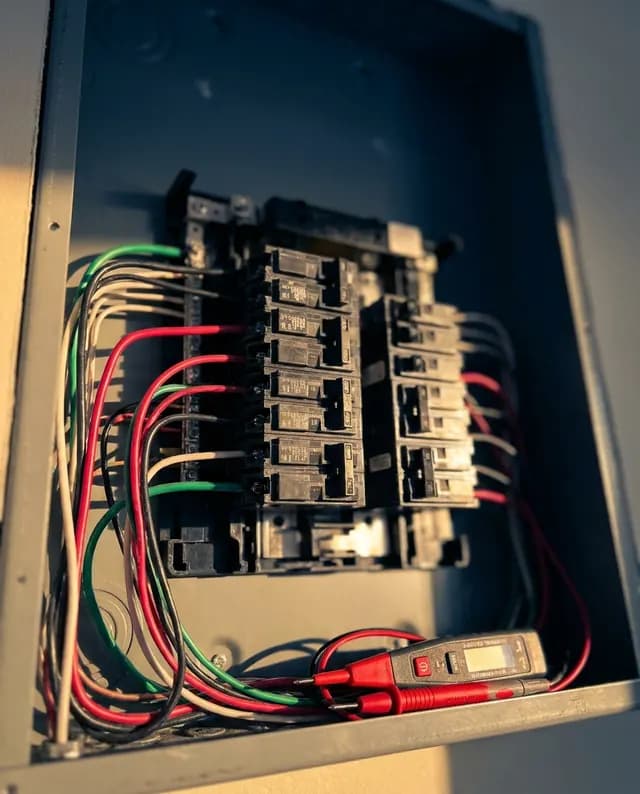
Electrical Contractor Software for Electricians and Their Crews
PocketBoss is electrical business software for electricians who run service calls and crews: schedule the work, keep panel and equipment details with the customer, send estimates the customer signs on their phone, and get paid by card, ACH or check. It costs $19.99/month for one electrician; dispatch, the crew time clock and job costing start on Essentials at $29.99/month for up to 5 users.
Recordkeeping, not code work: PocketBoss stores permit numbers, photos and inspection visits. It does not file permits, run load calculations or check work against the electrical code.
- From $19.99/month
- 14-day free trial
- Web, iPhone and Android
What electrical contractor management software should do
Use this as a checklist for any electrician software demo. The right column shows how PocketBoss handles each item and the plan it starts on.
| You need | Ask the vendor | In PocketBoss |
|---|---|---|
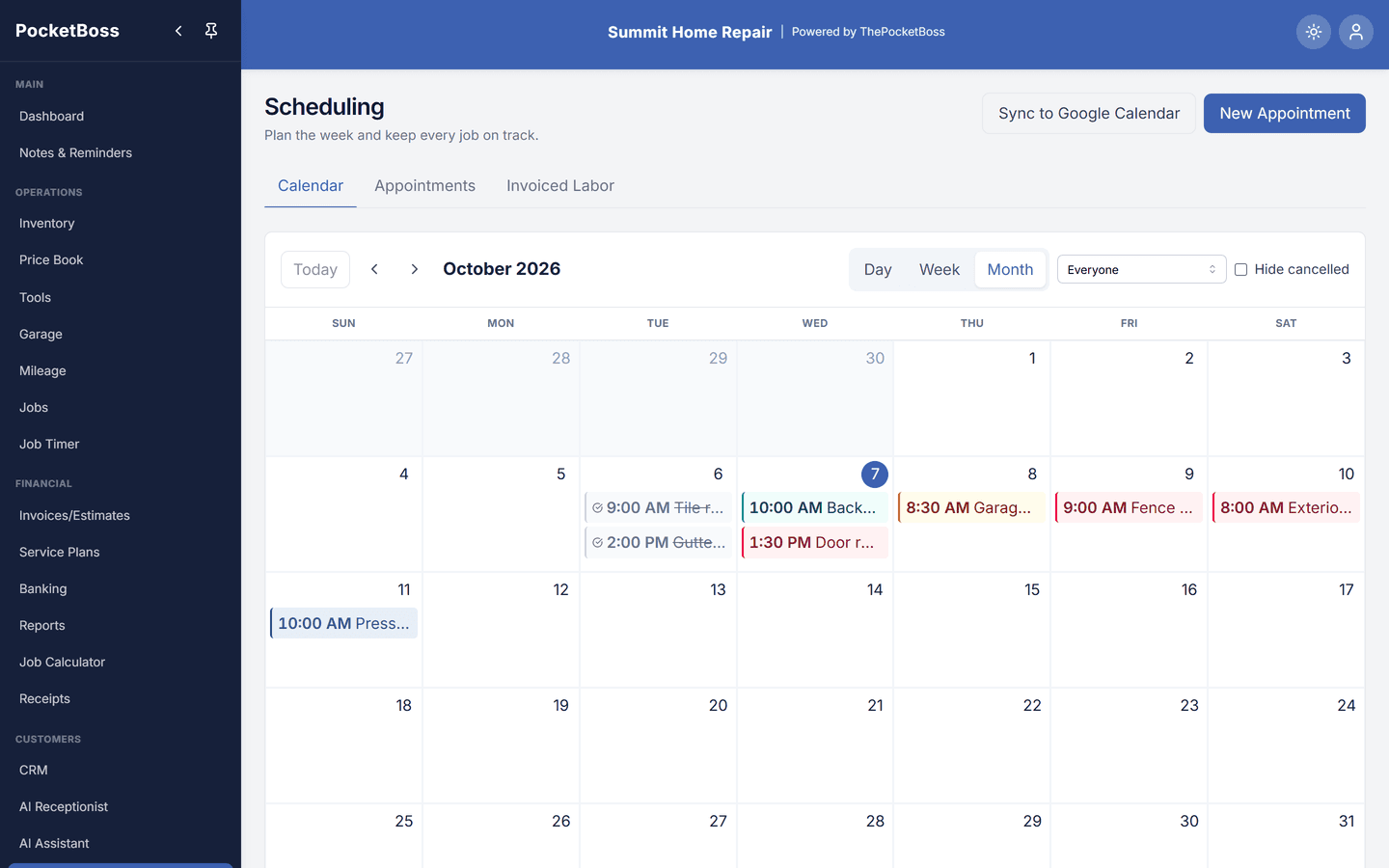
| Service calls on a calendar | Can I book, move and see the day for each electrician? | Every plan: a calendar with day, week and month views; Jobs show a column per technician in day view. |
| Dispatch for a crew | Can I see unassigned calls and hand them out fast? | Essentials and up: the dispatch board puts unassigned jobs on top; drag one to an electrician and notify them by text and email. |
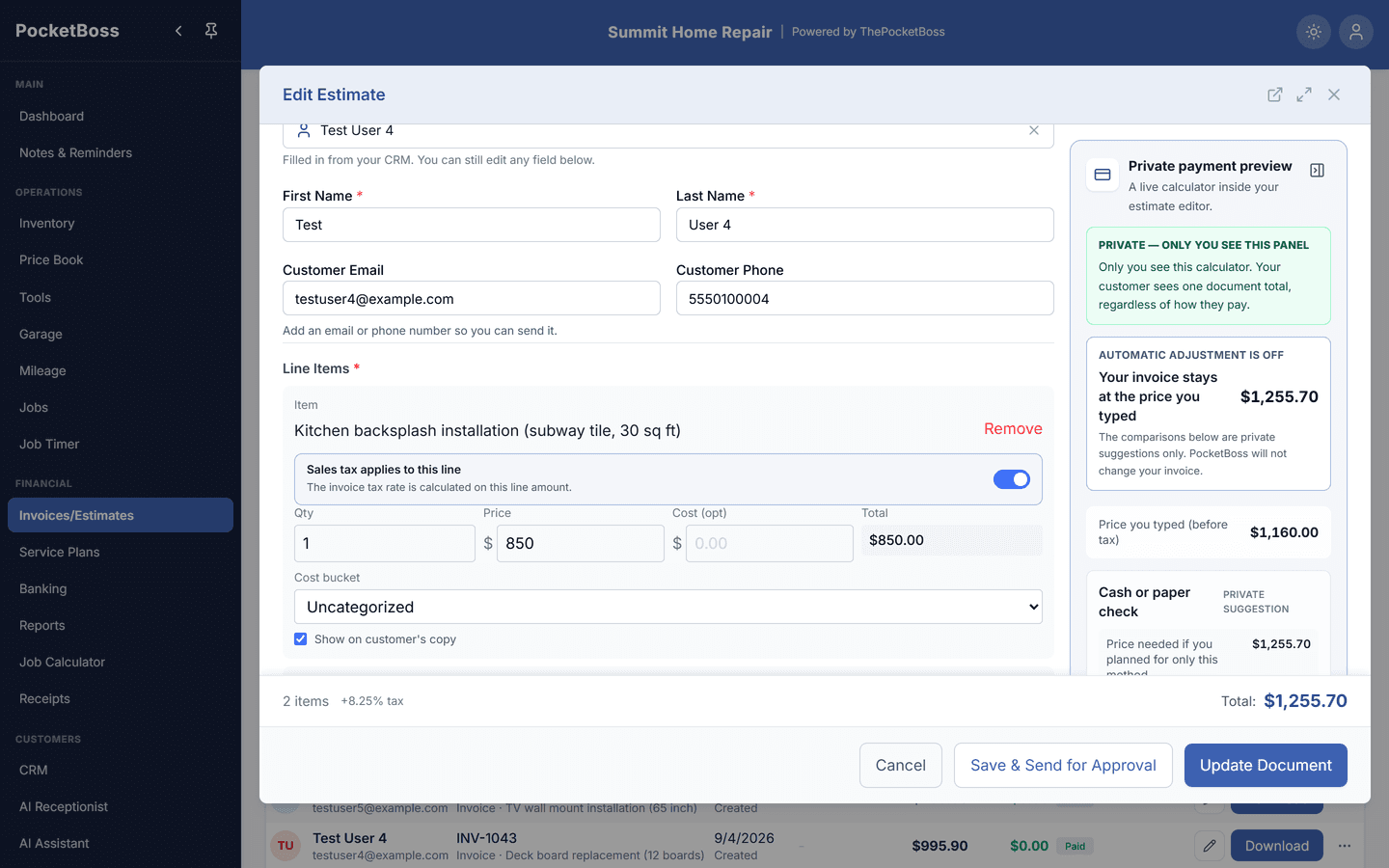
| Estimates the customer signs | Can the homeowner approve from their phone? | Every plan: estimates with a drawn signature in the customer portal. Pro adds good, better, best options. |
| Multi-visit jobs with an inspection | Can one job hold rough-in, inspection and final visits? | Every plan: a Job holds every visit, the crew, photos, the job log, milestones and one invoice for the whole job. |
| Bigger projects and change orders | Can I track a budget, extra work and a sub’s price? | Essentials and up: Projects with budgets, milestones, expenses, progress photos and sub bids. Change orders can go to the customer for approval in the portal. |
| Crew time and labor cost | Do hours flow into the invoice and the job cost? | Every plan: job timers, and Log time for hours nobody timed, feed the invoice. Essentials adds the crew time clock and payroll CSV. |
| Licenses and certifications | Can I keep license numbers and expiry dates per electrician? | Essentials and up: employee records store certification names, numbers and expiry dates. PocketBoss does not send expiry reminders. |
| Getting paid on site | What does a card payment cost me? | Every plan: card and ACH through Stripe, or record cash and checks. Stripe’s fee plus 0.5% on cards or 0.25% on ACH (capped at $25) comes out of the payout. |
| Accounting | Do invoices reach QuickBooks without retyping? | Essentials and up: invoices, the customers on them and payments sync one way to QuickBooks Online. |
Electrical service management, from call to paid invoice
An illustrative example: a homeowner calls because a breaker keeps tripping, and the fix turns into a panel upgrade.
1. Book the service call
Add the customer and the service address, put the visit on the calendar, and attach a job checklist your electrician ticks off on site.
2. Quote the upgrade
Build the estimate from your Price Book. On Pro, add good, better and best options. The customer signs in the portal, and you can require a deposit before you order the panel.
3. Schedule the job
Create a Job with rough-in, inspection and final visits. The crew is notified by text and email. Put the permit number in the job log.
4. Track time and photos
Electricians run the job timer from their phones and add photos of the panel and the inspection sticker. Hours nobody timed go in with Log time.
5. Invoice the job
One invoice covers the whole job. Pull in tracked hours with From Time Tracked, send it with a pay link, and take card, ACH or a check.
6. Record the new panel
Add the panel as customer equipment with make, model, serial, install date and warranty end date, so the next call starts with the facts.
Electrical jobs and where they live in PocketBoss
Pick the record that matches the size of the work. Small jobs stay simple; bigger ones get a budget and change orders.
| Job | Use | What to keep on it | Starts on |
|---|---|---|---|
| Service call or troubleshooting | Appointment and invoice | Notes, photos, time on the job timer, parts from inventory | Solo |
| Panel upgrade | Job with rough-in, inspection and final visits | Permit number in the job log, photos of the panel and inspection sticker, the new panel as customer equipment | Solo |
| EV charger install | Job plus a customer equipment record | Charger make, model, serial, install date and warranty end date | Solo |
| Generator install and yearly service | Customer equipment plus a Service Plan or Recurring Visit | Unit details, the visit schedule, automatic invoice or card charge when a visit is done | Solo |
| Remodel or new-construction wiring | Project | Budget, milestones, expenses, sub bids, change orders, the invoices linked to it | Essentials |
| Commercial maintenance contract | Service Plan with Recurring Visits; several properties on one customer | Visits per year, billing cycle, each service address | Solo |
Running a crew of electricians
- Dispatch (Essentials and up): unassigned work sits at the top of the board; drag it to an electrician and they get a text and an email.
- Time clock (Essentials and up): clock in and out from the phone, with a location stamp on each punch when the employee allows it. Hours export as a payroll CSV.
- Licenses: keep each electrician's certification name, number and expiry date on their employee record.
- Permissions: electricians see the jobs they are assigned to, never your labor costs or the job's invoice unless you grant the Job invoicing or Financials permission.
- Procedures (Essentials and up): write step-by-step workflows, such as how you close out a service upgrade, that anyone on the team can follow.
What PocketBoss does not do for electricians
- File permits, track permit deadlines or check work against the electrical code.
- Run load calculations or take quantities off a set of plans.
- Send reminders when a license or certification is about to expire.
- Track electricians live on a map; the time clock stamps a location at each punch only.
- Run payroll or calculate commissions.
- Take online payments for businesses outside the US.
What electrician software costs with PocketBoss
A one-person shop runs on Solo. A crew that needs dispatch, the time clock, Projects and QuickBooks starts on Essentials. Every plan is month to month, users are included, and the trial lasts 14 days.
| Plan | Price | Users | What it adds |
|---|---|---|---|
| Solo | $19.99/month | 1 user | Customers, estimates with e-signature, invoices and online payments, customer portal, calendar, jobs, recurring visits, service plans, inventory, price book, mileage and texting (50 text segments a month) |
| Essentials | $29.99/month | Up to 5 | Everything in Solo, plus: Dispatch board and crew assignments; Workforce time and GPS punches; Projects and job costing; Subcontractors by text link, no seats needed; QuickBooks Online sync; Online booking page; Receipts and expense records; Workflows and tasks; Reports (300 text segments a month) |
| Pro | $49.99/month | Up to 10 | Everything in Essentials, plus: Tiered and sectioned estimate templates; Smart routing; Advanced dashboard analytics; SMS campaigns (600 segments a month); Banking and reconciliation |
| Boss | $99.99/month | Up to 25 | Everything in Pro, plus: AI Receptionist with a dedicated local number; 100 AI Receptionist minutes a month included; 1,500 text segments a month |
Comparing vendors? See the best electrical contractor software comparison. PocketBoss details on this page come from the current plan catalog and product documentation.
Questions electricians ask
What is the best software for electricians?
The one that fits how you work. For an electrician on their own or a crew of up to 25, PocketBoss covers scheduling, estimates customers sign, multi-visit jobs, crew time, invoices and payments on month-to-month plans. Larger shops that want a call center, payroll or commission tracking inside the software usually look at quote-based tools instead. Test one real service call and one panel upgrade in a trial before you decide.
How much does electrical contractor software cost?
PocketBoss costs $19.99 a month for one electrician (Solo), $29.99 for up to 5 users (Essentials), $49.99 for up to 10 (Pro) and $99.99 for up to 25 (Boss). Users are part of the plan price. Card and ACH processing is extra: Stripe’s fee plus a PocketBoss fee of 0.5% on cards or 0.25% on ACH, capped at $25.
Can my electricians use it on their phones?
Yes. PocketBoss has native iPhone and Android apps plus a web app, included in every plan. Electricians see their schedule and jobs, track time, take photos, add notes to the job log and create estimates and invoices when their permissions allow. Crew members never see your labor costs or the job’s invoice unless you give them the Job invoicing or Financials permission.
Can PocketBoss track permits and inspections?
You can keep the permit number in the job log, photos of the permit card and inspection sticker on the job, and the inspection as its own visit on the calendar. PocketBoss does not file permits, track permit deadlines or check work against the electrical code.
Can I track panels, EV chargers and generators at a customer’s address?
Yes, on every plan. Customer equipment records hold the unit name, type, make, model, serial number, location on the property, install date, warranty end date, notes and photos. The owner gets one email when a recorded warranty is 30 days from ending.
Does it work for commercial electrical service contracts?
Yes. One customer can have several service addresses. A Service Plan sets the contract price and visits per year, and Recurring Visits put the work on the calendar weekly, monthly, quarterly or yearly, then create the invoice or charge the card on file when a visit is done.
Can I offer good, better, best options on a panel upgrade?
Yes, on Pro and Boss. Tiered estimates let the customer pick an option and sign in the portal, and the option they picked carries over when you convert the estimate to an invoice. On Solo and Essentials, send separate single-option estimates.
Does it sync with QuickBooks?
On Essentials and up, PocketBoss sends invoices, the customers on them and payments to QuickBooks Online, one way. Estimates and expenses do not sync, and edits made in QuickBooks never come back to PocketBoss.
How do I move my customers into PocketBoss?
Use Import on the CRM Clients tab. A Jobber client export or a QuickBooks customer list comes in with a preview before anything is saved, and existing customers are matched by email, then phone, then name. Any other spreadsheet saved as CSV can be imported too.
More for electrical contractors
- Best electrical contractor softwareCompare platforms side by side
- Electrical estimating softwareEstimates and tiered options
- Electrical scheduling softwareCalendar and service calls
- Electrical dispatch softwareAssign the day’s calls
- Electrical invoicing softwareInvoice and get paid on site
- Electrical job management softwareMulti-visit jobs
- Electrical work order softwareFrom call to completed work
- Electrical CRM softwareCustomers and properties
- Electrical contractor business guideGrowing an electrical company
- Contractor hourly rate calculatorPrice your labor
- Job cost calculatorLabor, materials and markup
- Contractor profit calculatorMargin on a job
- Plumbing contractor softwareFor plumbing companies
- Best HVAC softwareSix HVAC tools compared
- Contractor invoicing softwareEstimates to payment
- Trade contractor softwareEvery trade we cover
- PocketBoss pricingPlans, users and payment fees

Run your next service call in PocketBoss
Add a customer, quote the job, schedule the visits and send the invoice from your phone. Keep your current software running while you test.
Credit card required to start. Month to month, cancel anytime.